Templates place a starting skeleton, modules attach where you drop them, and every placement tool is one keystroke deep.
Templates and modules
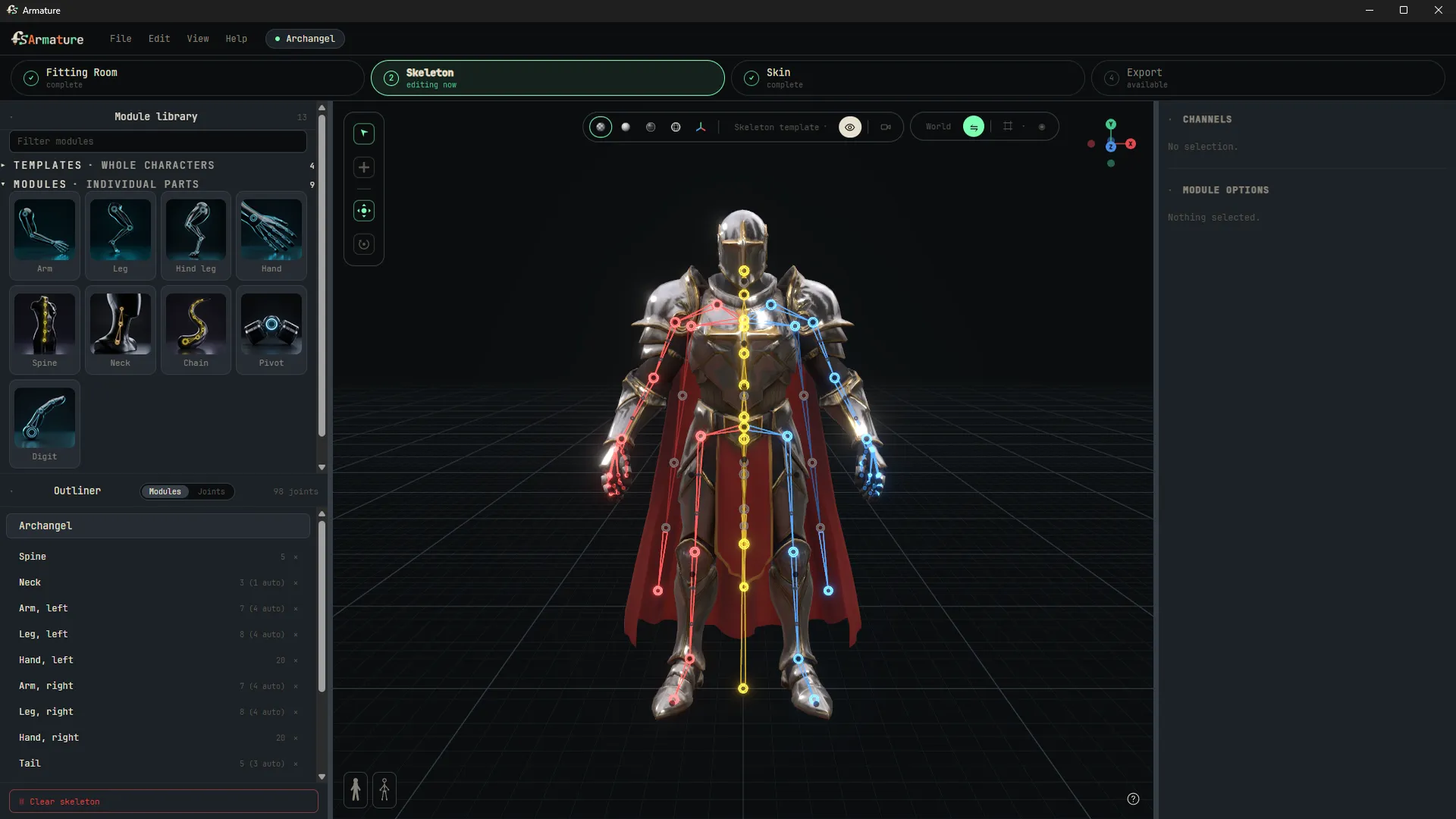
This station is both halves of the tool in one room. The fast half lives on the left: templates place a whole starting skeleton scaled to your character's bounding box, and modules attach to whatever joint you drop them on. Attachment is symmetry-aware: drop an arm on the left clavicle and both arms arrive, each parented to its own side. Working rigs in minutes come from here.
The craft half is the placement toolset below, all one keystroke deep. This is where an artist takes over the exact joints the templates proposed.
Placement tools
- The manipulator is position and rotation in a single control. Moving a joint re-aims its parent automatically, the same way a rigger would keep chains pointed at their children. Rotation sets the joint’s own frame when you need to override.
- C extrudes. Hold C and drag a joint to pull a new child out of it. Hold C on a manipulator axis arrow and the new joint rides that axis only.
- V snaps to the mesh. Hold V while dragging and the joint glues to the nearest vertex. When template guide dots are showing, they win over vertices.
- X snaps to other joints. Hold X while dragging on one axis and the joint lines up with whichever joint you point at, on that axis only.
- Shift moves a joint alone, leaving its children where they are.
- Scale that never scales. The R tool spreads a joint’s children apart or draws them together instead of stretching bones. Scaling to zero flattens a chain dead straight, and it is sticky, so a chain you straightened stays straightened.
Placement helpers
- Generate Joints proposes a full skeleton for your mesh (part of AutoSkin), shown as ghost dots you snap onto or dismiss. Guides are suggestions, never controls.
- Centerline guides trace the character’s own center through heads, tails and limbs, following the mesh’s thickness. Tap dots to place joints along them.
- Symmetry is always on duty: joints get side names automatically as they cross the center line, and a side chip in the channel box shows each joint’s side and lets you pin it (left, center, right) when the automatic answer is not what you meant.
- Range-of-motion exercises exist for every chain, so you can verify a spine or tail bends the way you expect before you ever skin it.
Undo covers everything, including selection changes, so you can always step back to exactly where you were looking.