Two local engines generate your weights, generating again is cheap, and painting and smoothing take the result to production level.
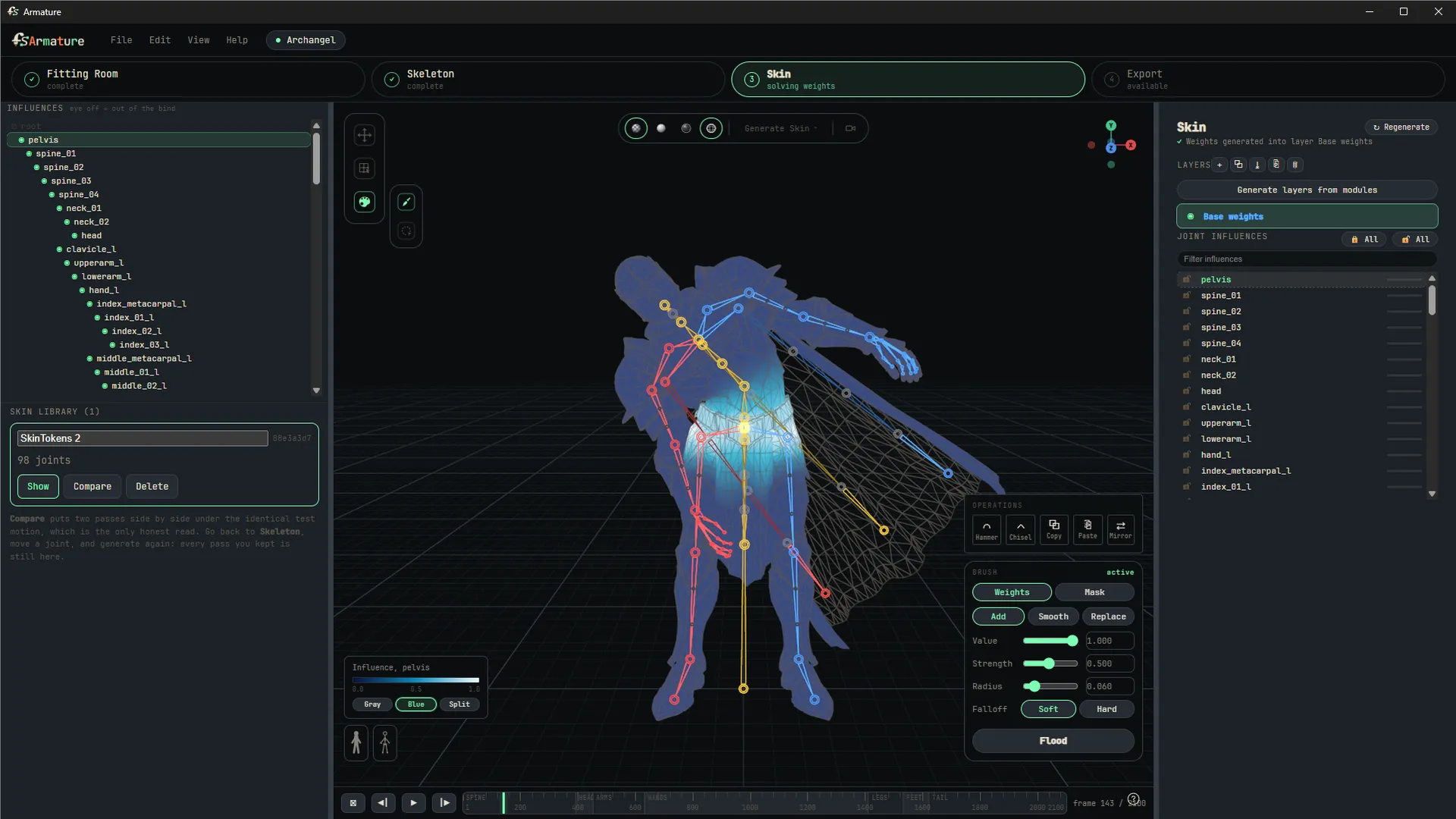
Two engines, one menu
This station is where Artist + AI is most literal: the machine proposes weights, you judge them in motion, and you decide what happens next. Accept, regenerate, or take over by hand.
The machine's move first. Generate Skin offers two engines, both local:
- Geodesic Voxel solves in seconds on any machine. Distances travel through the character's body instead of straight lines, so fingers resting near a leg never steal leg weights, and rigid parts (armor plates, props) bind hard to their bone. Deterministic: the same character always gets the same weights. It is a working starting point on any hardware, not a rival to the AI tier.
- SkinTokens is the AI engine, running on your own GPU, and the best weights Armature can produce.
Each solve replaces the current skin, and one undo brings the previous weights back. Trying the other engine, or re-solving after you have moved a joint, costs you the wait and nothing else.
Refinement tools
Then your move. When a character deserves production-level weights, the hand tools take over.
- Painting with Add and Replace that mean what they say: the influence you paint reaches exactly the value you asked for, locked influences never move, and the remainder is taken proportionally from unlocked ones.
- Flood applies the same operation to a whole selection. Grow and shrink the selection ring by ring with Shift + > and Shift + <.
- Hammer and Chisel smooths weights toward the selection average, with falloff profiles for soft domes and hard peaks.
- The wiggle lets you grab any joint in the Skin station and pose it to see deformation at a spot the exercises do not cover. Scrub the timeline and it snaps back. Your animation preview is never contaminated by a test pose, and undo pops the test pose first.
Much of the craft here is knowing when to stop painting and go fix the skeleton. A shoulder that deforms badly is usually a shoulder in the wrong place, and a fresh solve is quick enough that finding out costs you a minute.
AutoSkin: the AI engine, on your machine
AutoSkin generates skin weights and can propose full skeletons. It runs entirely on your own GPU. Nothing about your characters is uploaded anywhere.
It is a one-time optional download of roughly 9 GB (the inference engine and its model weights), offered on first launch and always available later under Generate Skin. Armature installs it, proves it end to end with a real test rig, and turns the feature on. The download resumes where it left off if interrupted, and everything else in Armature works without it.
Requirements: an NVIDIA GPU with at least 6 GB of VRAM (8 GB recommended).
Not taking the download, or no NVIDIA GPU? Geodesic Voxel ships built in, so every machine can skin from the first minute, and the AI tier is one download away whenever you want it.