Preview each joint's orientation with an auto-aiming, always manually-rotatable XYZ aimer, then bake it into clean, engine-ready joint rotations with one click.
What it does
A visible orientation you can preview before committing
Joint Aimer puts a visible XYZ arrow on each joint so you can preview its orientation before committing. Point each aimer at the next joint, or dial in a custom twist.
Then click Orient All Joints to bake it into clean rotation. It's the tool for orienting hand-built or imported skeletons. Inside Fabricator it runs automatically when building an Animation Rig from the skeleton.
Aim target
Tell each aimer where to auto-aim
Every Aimer Control has an Aim Target attribute in the channel box. Each aimer automatically offers these choices:
Pick a child joint to aim down the chain, or World / Local / Parent for a fixed reference.

Where
The Aimers toggle lives in the Fabricator toolbar
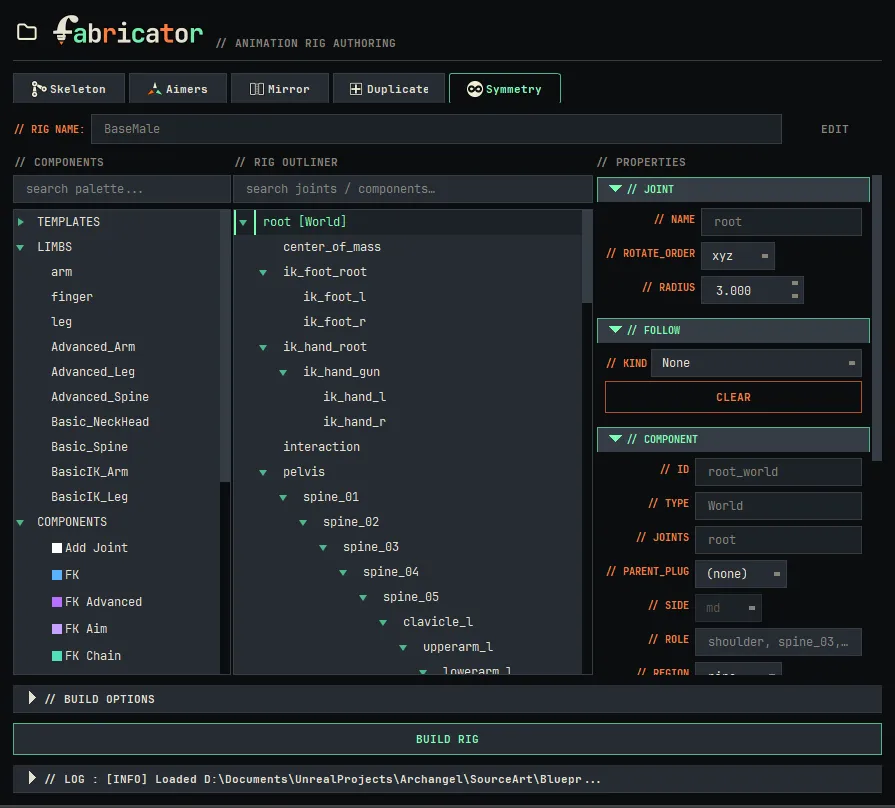

Toggle Aimers in the top toolbar to show or hide the XYZ arrows across the whole skeleton while you work.
- 1
Aimers are automatically built into the skeleton stage, no setup needed.
- 2
Set each aimer's Aim Target: World, Local, Parent, or any child joint.
- 3
Run Aim Joints at Aimers to aim on the fly, or just build your rig and joints aim at the aimers automatically.
- 4
Click Orient All Joints to bake into clean, engine-ready rotations.